Leonida Is Bigger Than You THINK
GTA 6 gives you a sprawling new world to explore, with six established regions and a land area estimated at up to twice GTA 5's. Here's how to navigate it and track everything.

Remember how eventually you knew every shortcut in Los Santos? Every alley, every road out of Blaine County, every place worth visiting? Leonida is going to make that knowledge feel rather small. GTA 6 is already playable, and its enormous setting offers plenty of reasons to keep exploring long after you've finished your main objectives. If you're serious about discovering everything, you'll want more than the standard in-game navigation. You'll want a proper map and a system for keeping track of your progress.
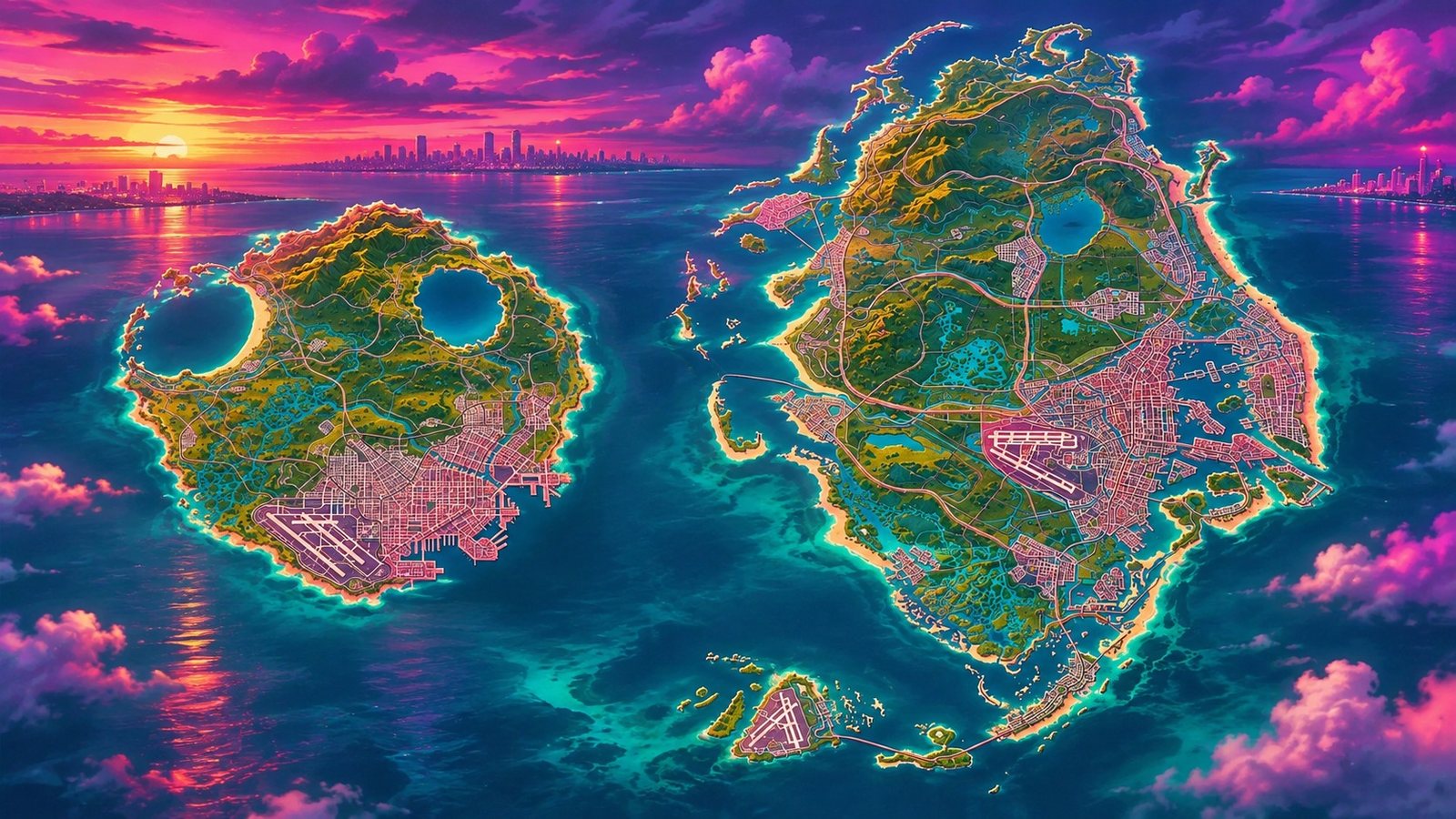
Welcome to the world of Leonida
GTA 6 takes place in Leonida, Rockstar's fictional version of Florida. Vice City serves as its central urban destination, but the surrounding territory introduces several distinct environments. There are coastal communities, wetlands, industrial districts and extensive natural landscapes.
The six established geographical areas are:
| Region | Description |
|---|---|
| Vice City | A contemporary interpretation of Miami and Leonida's principal city |
| Leonida Keys | An island region along the coast |
| Grassrivers | A landscape dominated by wetlands |
| Port Gellhorn | A coastal settlement |
| Ambrosia | The state's industrial territory |
| Mount Kalaga National Park | A large forested natural area |
The official geographical information also identifies five counties: Vice-Dale, Mariana, Kelly, Leonard and Lummox.
These distinctions matter when you're planning longer exploration sessions. Moving through an urban district requires a different approach from navigating wetlands or travelling through forested territory. Leonida isn't simply another version of Los Santos with a few additional roads attached.
One detail deserves clarification: Ambrosia is an established region, but the name Ambrosia County comes from leaked information. It does not appear among the five counties identified on Rockstar's official map. Don't confuse those two claims.
How much larger is GTA 6 than GTA 5?
This is where the comparison gets interesting. Rockstar has characterized Leonida as roughly double the size of the previous game's world. Independent geographical measurements based on an earlier leaked layout produced a somewhat smaller result, but still point to a substantial increase.
The community measurement puts GTA 6's land area at approximately 83.2 square kilometres. For comparison, the measured land portion of GTA 5 covers around 48.15 square kilometres. That makes the earlier GTA 6 layout approximately 1.73 times larger by this calculation.
Neither figure should be mistaken for an official measurement of the released game's complete landmass. Rockstar hasn't provided an exact area in square kilometres.

| Measurement | GTA 5 | GTA 6 |
|---|---|---|
| Land area used in comparison | 48.15 km² | 83.2 km² |
| Relative size | 1.0x | Approximately 1.73x |
| Cross-map driving comparison | Around 8 minutes | Just under 11 minutes |
There's another useful way to understand the difference: travel time. A journey from the southernmost part of the released GTA 6 world to its northern boundary takes just under eleven minutes in the available comparison. The equivalent GTA 5 journey takes approximately eight.
What can you discover using an interactive map?
One available Leonida tracking system catalogues 5,661 points of interest divided into 104 categories. That's a considerable amount of information to manage, particularly if you're interested in completing every available activity.
The most useful sections include:
1. Properties and personal locations
Keep records of your safehouses and garages. You can also create your own location pins, save favourite destinations and attach private descriptions or reminders to individual places.
2. Robbery opportunities
The robbery section covers several kinds of targets, including banks, payday loan businesses, safes, smash-and-grab opportunities and ATMs that can be transported. It also includes illegal operations and businesses that purchase stolen goods.
If you're looking for ways to make money, this is one of the categories I'd keep readily accessible. Having potential targets organized makes it easier to plan where to go next.
3. Collectibles and hidden discoveries
Completionists have plenty to organize. Available tracking categories include Hidden Packages, Cocaine Flamingos, meteorites, street-art locations, stunt challenges and loot boxes. There are also collectible trading card sets, with individual locations recorded for each set.
4. Vehicles and transportation
This section helps you locate places associated with vehicle maintenance and customization. You'll also find fuel stations, washing facilities and transportation connections involving buses, trains and ferries. Locations associated with notable vehicles are included as well.
5. Weapons and protection
Look for Ammu-Nation stores, places where weapons and armor can be collected, and distinctive weapons hidden around Leonida. This category is particularly useful when you want to locate equipment without spending time searching randomly.
6. Activities and everyday destinations
There's more to Leonida than missions and robberies. Other categories cover sporting activities, races, arcade machines, hunting, fishing and spontaneous street encounters.
The everyday services section is equally useful. It includes restaurants, cafes, bars, street-food locations, clothing retailers, hairdressers, tattoo shops, electronics stores, hospitals, police stations, fire stations, ATMs, marinas and helipads.
The advantage is simple: you can use one organized reference instead of trying to remember every location you've encountered during normal gameplay.
How to use the full GTA 6 map
A map containing thousands of markers can quickly become difficult to read. The trick is to concentrate on the information relevant to your current objective.
Here's the workflow I'd recommend:
- Display the entire state. Begin with the complete Leonida overview. Familiarize yourself with the major regions before concentrating on individual destinations.
- Select a category. Decide whether you're hunting collectibles, searching for weapons, exploring robbery opportunities or looking for vehicle services.
- Reduce the visible markers. Use the category filters to remove unrelated information. The Only control isolates a selected category, while Hide found removes locations you've already registered as discovered.
- Inspect individual pins. Select a location to access its available information. Individual entries also support sharing and progress tracking.
- Record discoveries. Mark completed locations so you can distinguish them from places you haven't visited.
- Create your own reference points. Add personal pins with names and descriptions. Favourite locations and private notes can help organize destinations you want to revisit.
- Keep working through the categories. Complete one collection or activity group before moving to another. This makes your progress much easier to understand.
The map also offers a full-screen viewing option, which is useful when you want to concentrate on geography without surrounding interface elements. Mobile users can add it to their home screen for convenient access.
There are two ways to retain your progress. Visitors using the map without an account keep their records in the browser they're currently using. Members who sign in can synchronize their information across their devices.
Is the free version enough?
For most players, the free functionality is a sensible starting point. Location tracking doesn't require payment, and basic progress management is available without a membership.
The main differences appear when you want additional personal organization tools.
| Feature | Free | VIP |
|---|---|---|
| Location tracking | Unlimited | Unlimited |
| Personal map pins | 5 | 100 |
| Saved filter configurations | 1 | 8 |
| Separate map profiles | Not included | Up to 4 |
| Custom personal categories | Not included | Available |
| Screenshots attached to personal pins | Not included | Available |
| Advertising | Displayed | Removed |
VIP also provides additional MyBase membership benefits. Its larger personal-marker allowance is particularly useful if you maintain separate exploration plans or want to organize different playthroughs.
My advice? Don't pay immediately. Try the free functionality first. If five personal markers and a single saved filter configuration are sufficient, there's little reason to upgrade. Consider membership when your tracking requirements actually exceed those limits.
Which GTA 6 map information can you trust?
Not every geographical representation circulating online has the same level of reliability. Some versions are based on the released game's map, while others incorporate older leaked layouts and community interpretations.
This distinction becomes especially important when looking at individual landmarks. Community mapping projects have matched buildings and other geographical features to real-world locations. Those interpretations can help with orientation, but Rockstar hasn't officially validated every suggested identification.
The older leaked layout is another example. One reconstruction follows material associated with a 2023 game build that circulated in August 2026. It provides historical context, but it shouldn't automatically override what players can see in the released version.
There are several other claims worth treating carefully:
- An estimate of approximately 125 square kilometres was derived from footage dating back to 2022. It remains unverified.
- The suggestion that Leonida connects to the neighbouring state of Gloriana hasn't been confirmed.
- Additional geographical expansions after launch haven't been established.
- A separate Ambrosia County appeared in leaked material but isn't included in the official five-county listing.
For practical exploration, prioritize information that corresponds to the released game. Community interpretations and older reconstructions can be interesting, but they shouldn't be treated as definitive descriptions of the world you are currently playing.
Viktor's verdict
I'd keep an interactive map open whenever I'm doing a dedicated exploration session. Start with the free tracker, separate your collectibles from your other objectives, and record discoveries as you go. Leonida has enough territory to keep you occupied without turning every evening into an unplanned expedition across Florida.

Leonida deserves a proper exploration strategy. I'd use a free interactive map from the beginning, organize collectibles and robbery locations separately, and only consider VIP when I genuinely need more profiles or personal markers. The biggest mistake is trying to remember everything yourself. With thousands of locations available, even the best virtual driver needs a decent navigation system.
FAQ
GTA 6 full map
GTA 6 takes place in Leonida, which contains six established regions: Vice City, Leonida Keys, Grassrivers, Port Gellhorn, Ambrosia and Mount Kalaga National Park. Rockstar's official geographical information also identifies five counties.
GTA 6 full game
GTA 6 became available on November 19, 2026, for PlayStation 5 and Xbox Series X|S. Its setting is the fictional State of Leonida, with modern-day Vice City as its main urban location.
GTA 6 full interactive map
Interactive Leonida maps organize points of interest such as collectibles, weapons, properties, robbery targets, transportation and activities. One available tracker contains 5,661 locations divided into 104 categories.
GTA 6 map interactive
Interactive map controls allow you to search for destinations, filter marker categories, register discoveries and add personal locations. Guest progress remains in the current browser, while signed-in members can synchronize it between devices.
GTA 6 full map with icons
Available map categories include collectibles, weapons, businesses, vehicle services, robbery opportunities, activities, safehouses and transportation connections. Filtering the markers makes individual objectives easier to follow.
More GTA 6 news

GTA 6 Took a DECADE. Was It Worth It?
GTA 6 finally arrived on November 19, 2026, after development work stretching back to 2014. That's more than twelve years between the first groundwork and the game in your hands.

Is GTA 6 R-RATED? Not So Fast
GTA 6 puts you in the middle of a criminal world built around Jason and Lucia. But does that make it R-rated? The available facts don't confirm an official classification.

Vice City Driving Has Changed EVERYTHING
GTA 6 features hundreds of vehicles, more demanding driving physics, fuel management and a completely redesigned car theft system. Here's what you need to know before building your dream garage.
Find the RIGHT Off-Road Shop in GTA 6
GTA 6 has dedicated off-road customization shops across Leonida, including Wasteland Off-Road, Dirt Merchants and an Ultimate Edition exclusive. Here's where to find them and what each one offers.